Microsoft Power BI – Data Visualization & Analytics Tool
Microsoft Corporation
Jul 10, 2015
Nov 24, 2024
2.2.241120.21215195
8.0
5,000,000+

Description
📊 Microsoft Power BI – Transform Data into Powerful Insights
In today’s data-driven world, businesses rely heavily on analytics tools to make smarter decisions. One of the most powerful tools available is Microsoft Power BI, a leading platform that helps users visualize data and share insights across organizations.
Whether you’re a beginner or an experienced analyst, this guide will walk you through everything you need to know to get started and excel with Power BI.
🚀 What is Microsoft Power BI?
Microsoft Power BI is a Business intelligence (BI) tool developed by Microsoft. It enables users to connect to various data sources, transform raw data into meaningful visuals, and create interactive dashboards.
With its user-friendly interface and powerful features, Power BI is widely used in industries such as Finance, marketing, healthcare, and IT.
🔑 Key Features of Power BI
Here are some of the standout features that make Power BI a top choice:
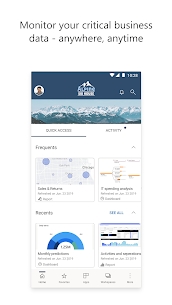
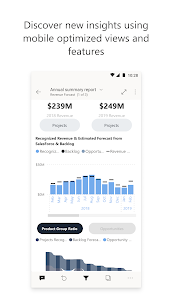
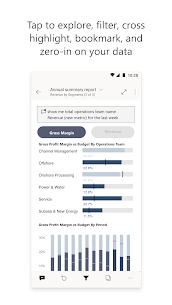
- 📈 Interactive Dashboards – Create dynamic and visually appealing reports
- 🔗 Multiple Data Sources – Connect to Excel, SQL databases, cloud services, and more
- 🤖 AI-Powered Insights – Discover trends using built-in artificial intelligence
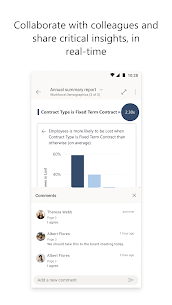
- ☁️ Cloud Integration – Share reports easily via Power BI Service
- 📊 Real-Time Analytics – Monitor live data and make instant decisions
These features make Power BI not just a visualization tool, but a complete analytics solution.
🧠 How Microsoft Power BI Works
Power BI works through a simple yet powerful workflow:
- Data Collection – Import data from various sources
- Data Transformation – Clean and shape your data using Power Query
- Data Modeling – Build relationships between datasets
- Visualization – Create charts, graphs, and dashboards
- Sharing – Publish reports to the cloud for collaboration
This streamlined process allows businesses to turn complex datasets into actionable insights.
💡 Benefits of Using Power BI
Using Microsoft Power BI offers several advantages:
- ⚡ Faster decision-making through real-time data
- 📊 Improved data visualization and reporting
- 🤝 Enhanced collaboration across teams
- 💰 Cost-effective compared to other BI tools
- 🔒 Strong security and compliance features
For organizations looking to stay competitive, adopting Power BI is a strategic move.
🔗 Useful Resources
- Learn more on the official Microsoft Power BI platform
- Explore tutorials on YouTube for step-by-step Guides
- Discover documentation via Microsoft Learn
You can also check our internal guide:
👉 Beginner’s Guide to Data Analytics
🏆 Why Choose Microsoft Power BI?
Power BI stands out because it combines ease of use with advanced capabilities. Unlike many traditional BI tools, it doesn’t require extensive technical knowledge to get started.
Its integration with other Microsoft products like Excel and Azure makes it even more powerful for enterprise environments. Additionally, regular updates ensure users always have access to the latest features.
📌 Conclusion
Microsoft Power BI is more than just a data visualization tool—it’s a complete platform for business intelligence and analytics. By leveraging its capabilities, individuals and organizations can unlock the full potential of their data.
If you’re aiming to improve decision-making, boost productivity, and gain a competitive edge, Power BI is definitely worth exploring. Start learning today and turn your data into actionable insights! 🚀📊
What's new
Bug fixes
Improved stability and fixed various bugs.
Video
Images