Photoshop Express Photo Editor
Adobe
Dec 1, 2024
16.7.269
Varies with device
100,000,000+

Description
📸 Photoshop Express Photo Editor – A Complete Guide to Mobile Photo Editing
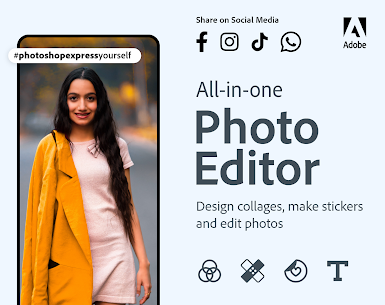
In today’s digital world, having a powerful photo editor right in your pocket is no longer a luxury—it’s a necessity. Photoshop Express Photo Editor delivers exactly that. Designed by Adobe, this mobile application brings professional-grade editing tools to your smartphone without overwhelming complexity.
Whether you’re enhancing selfies, refining landscapes, or creating social media-ready visuals, this app strikes the perfect balance between simplicity and advanced functionality.
✨ Why Choose Photoshop Express Photo Editor?
Unlike many mobile editing Apps that sacrifice quality for convenience, Photoshop Express Photo Editor maintains a high standard. The interface is clean, intuitive, and fast, making it suitable for both beginners and experienced users.
Key highlights include:
- 🎨 One-touch filters and effects for instant enhancement
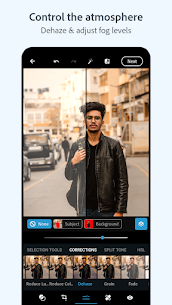
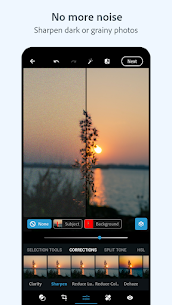
- 🔧 Advanced tools like exposure, contrast, and color correction
- 🧼 Blemish removal and skin smoothing features
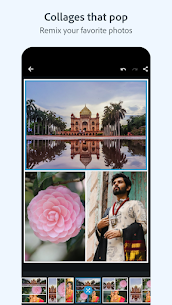
- 🖼️ Collage maker and creative overlays
- ⚡ Fast performance with minimal lag
The app is available on Google Play Store and continues to receive regular updates, ensuring compatibility with modern devices.
🛠️ Powerful Editing Tools Explained
Photoshop Express Photo Editor stands out because of its carefully designed toolset. Instead of overwhelming users with unnecessary options, it focuses on what truly matters.
🎯 Precision Adjustments
Fine-tune brightness, highlights, shadows, and temperature with precision sliders. These tools allow you to bring out details that might otherwise go unnoticed.
🎨 Filters & Effects
Choose from a wide range of filters that can instantly transform your photos. Unlike generic filters, these are customizable, giving you control over intensity and tone.
🧽 Retouching Features
Remove unwanted spots, smooth skin, and enhance facial features with ease. These tools are particularly useful for portrait photography and social media content.
🚀 Performance and User Experience
One of the strongest aspects of Photoshop Express Photo Editor is its performance. The app runs smoothly even on mid-range devices, making it accessible to a wide audience.
Navigation feels natural, with tools logically organized into categories. This ensures that even first-time users can quickly learn how to edit photos effectively.
For official details and updates, you can visit:
🔗 Helpful Resources for Better Editing
If you want to improve your editing skills, consider exploring these useful Guides:
- https://helpx.adobe.com/photoshop-express/tutorials.html
- https://www.canva.com/learn/photo-editing-tips/
These resources provide practical tips that can elevate your editing workflow and help you get the most out of Photoshop Express Photo Editor.
📊 Pros and Cons
✅ Pros
- Easy to use interface
- Powerful editing tools
- Fast and responsive
- Regular updates from Adobe
❌ Cons
- Some premium features require payment
- Limited compared to desktop Photoshop
🏁 Final Verdict
Photoshop Express Photo Editor proves that mobile editing can be both powerful and accessible. It’s not just another photo app—it’s a carefully crafted tool designed to help users create visually stunning content without complexity.
If you’re looking for a reliable, fast, and feature-rich editor, this app is definitely worth trying. It adapts to your skill level, grows with your creativity, and delivers consistent results every time.
What's new
Retouching got a glow-up with an upgraded heal feature to quickly touch out blemishes.
Take your expression further by turning text prompts into eye-catching images, powered by Adobe Firefly.
Edit videos seamlessly, add audio tracks, and resize.
We have also improved app performance to ensure that your experience is as smooth as ever.
Images