Google Photos
Google LLC
May 29, 2015
Oct 18, 2024
Varies with device
Varies with device
10,000,000,000+

Description
📸 Google Photos – The Smart Way to Store, Organize & Edit Your Memories
In today’s digital world, managing photos efficiently is essential. The Google Photos app offers a powerful solution for storing, organizing, and enhancing your images with cutting-edge AI technology. Designed by Google, this app has become a must-have tool for millions of users worldwide.
🚀 What is Google Photos?
Google Photos is a cloud-based photo storage and management platform that allows users to back up their images and videos securely. With intelligent features like automatic organization, facial recognition, and smart search, it transforms how users interact with their media.
Unlike traditional gallery Apps, Google Photos uses AI to categorize your images by people, places, and objects, making it incredibly easy to find exactly what you’re looking for.
🌟 Key Features of Google Photos
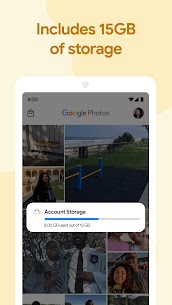
☁️ Unlimited Cloud Backup & Sync
- Automatically back up photos and videos
- Access your files from any device
- Free up storage space on your phone
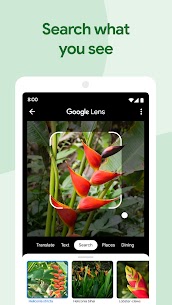
🔍 Smart Search & Organization
- Find photos by keywords like “beach,” “car,” or “food”
- AI-powered facial recognition
- Automatic album creation
✨ Advanced Editing Tools
- One-tap enhancements and filters
- AI-powered suggestions
- Adjust brightness, contrast, and color balance
🤝 Easy Sharing Options
- Share albums with friends and family
- Create shared memories
- Generate links instantly
🧠 AI-Powered Experience
What makes Google Photos stand out is its deep integration of artificial intelligence. The app learns from your behavior and improves over time, offering suggestions like:
- Creating animations and collages automatically 🎨
- Highlighting your best moments 📅
- Suggesting edits for better photo quality
This smart automation saves time and enhances your overall experience without requiring manual effort.
📱 Why Choose Google Photos?
Google Photos is not just a storage app—it’s a complete ecosystem for managing your digital memories. Its seamless integration with other Google services, fast performance, and intuitive interface make it one of the best apps in its category.
If you’re looking for alternatives, you can explore tools like Picsart AI Photo Editor for more creative editing options, but Google Photos remains unmatched in organization and cloud backup.
🔗 Useful Resources
- Learn more about cloud storage on Google Official Website
- Discover editing techniques on Photo Editing Tips
- Check our Photo Apps Guide for similar tools
💡 Pro Tips for Better Usage
- Enable high-quality backup to save storage
- Use search regularly to take advantage of AI
- Clean up blurry or duplicate photos to stay organized
- Explore editing suggestions for quick improvements
🏁 Final Thoughts
Google Photos continues to redefine how we store and interact with our memories. With its powerful AI features, secure cloud storage, and user-friendly design, it stands as a top choice for anyone looking to manage their photos effortlessly.
Whether you’re a Casual user or a photography enthusiast, Google Photos provides everything you need in one place. Start using it today and experience a smarter way to preserve your memories. 📸✨
What's new
We are introducing a new storage management tool to help you easily manage the photos that count toward your storage quota. This tool will surface photos or videos you might want to delete — like blurry photos, screenshots and large videos.
Images