Google Fit: Activity Tracking
Google LLC
Oct 28, 2014
Sep 16, 2024
Varies with device
Varies with device
100,000,000+

Description
🏃 Google Fit: Activity Tracking – Your Ultimate Fitness Companion
Staying active and monitoring your health has never been easier than with Google Fit: Activity Tracking. Designed to help users maintain a healthy Lifestyle, Google Fit seamlessly tracks your workouts, steps, and heart rate while offering actionable insights to improve overall well-being. Whether you’re a beginner or a fitness enthusiast, this app provides tools to make every step count.
📊 Track Your Activity Effortlessly
Google Fit is more than just a step counter. It uses smart sensors and algorithms to track various types of physical activity, from walking and running to cycling and even yoga. With its clean interface, users can effortlessly view daily, weekly, and monthly activity stats, making it easier to set and achieve fitness goals.
- Step tracking – Accurately counts your steps and calories burned throughout the day 👣
- Workout tracking – Log runs, walks, or cycling sessions with GPS and heart rate monitoring 🚴♂️
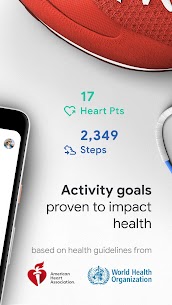
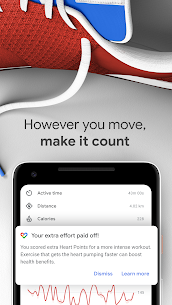
- Heart points & move minutes – Earn points for activities that get your heart pumping ❤️
These features motivate users to stay active while offering clear, visual feedback on their progress.
🧘 Personalization and Goal Setting
One of the standout aspects of Google Fit is its ability to personalize fitness plans. Users can set realistic goals, whether it’s walking 10,000 steps daily or completing a certain number of workouts weekly. The app then provides suggestions based on your activity level, encouraging consistency and long-term habit formation.
Additionally, the app syncs with other popular fitness Apps like Strava, Runkeeper, and MyFitnessPal, providing a holistic view of your health in one place. This seamless integration ensures that no workout or health metric goes unrecorded.
🔗 Integrations and Smart Features
Google Fit goes beyond activity tracking by integrating with smart devices. From wearables like Fitbit and Garmin watches to your smartphone sensors, the app provides a complete overview of your physical activity. With features such as:
- Automatic activity recognition – Detects and logs exercises without manual input ⏱️
- Heart rate monitoring – Works with compatible devices to monitor your cardiovascular health 💓
- Sleep tracking – Syncs with third-party apps to provide insights on sleep quality 🛌
For more tips on improving your fitness routine, check out CDC Physical Activity Guidelines and World Health Organization Fitness Recommendations.
🌟 Why Google Fit Stands Out
Unlike other fitness apps that can feel overwhelming, Google Fit is intuitive, visually appealing, and human-centered. Its focus on simple metrics, actionable insights, and gentle nudges for staying active creates a supportive environment for users of all levels.
Whether you’re tracking your first 5K or aiming to achieve consistent daily activity, Google Fit provides the tools, guidance, and motivation needed to succeed. It transforms health tracking into a daily habit rather than a chore, making fitness approachable and enjoyable.
🏅 Conclusion
For anyone looking to take control of their health and activity levels, Google Fit: Activity Tracking is the perfect companion. With real-time tracking, personalized goals, seamless integrations, and actionable insights, it’s more than an app—it’s a lifestyle partner. Start your journey today and unlock the full potential of your daily activity! 👟📱
What's new
• Measure your heart rate and respiratory rate using just your phone camera (selected devices)
• Turn up the tempo of your walks with paced walking in Workouts
• Find all of your health and wellness data in the Browse tab
• Minor bug fixes and UI improvement
Images