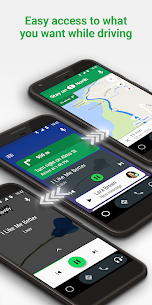
Android Auto
Google LLC
Oct 18, 2024
Varies with device
8.0
5,000,000,000+

Description
🚗 Android Auto – Your Ultimate Smart Driving Companion
Driving today is no longer just about getting from point A to point B—it’s about staying connected, informed, and safe along the way. Android Auto transforms your car into a smarter, more responsive environment, allowing you to focus on the road while your essential Apps work seamlessly in the background.
Whether you’re commuting daily or heading out on a long road trip, this app brings convenience and safety together in a way that feels natural, not forced.
📱 What Is Android Auto?
Android Auto is a mobile application designed to mirror key features of your smartphone directly onto your car’s dashboard display. With a clean interface and voice-driven controls, it minimizes distractions and maximizes usability.
Instead of fumbling with your phone, you can access navigation, Communication, and entertainment through a simplified, driver-friendly interface.
🌟 Key Features That Make It Stand Out
🗺️ Smart Navigation in Real Time
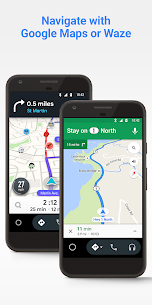
Get accurate directions powered by Google Maps, including live traffic updates, lane guidance, and alternative routes. You can also use Waze for community-based alerts.
🎧 Seamless Music & Audio Control
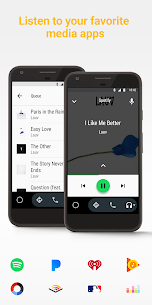
Enjoy your favorite playlists from apps like Spotify or YouTube Music without touching your phone. Voice commands make switching tracks effortless.
📞 Hands-Free Communication
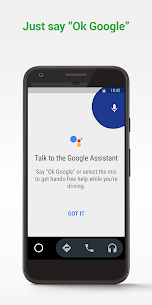
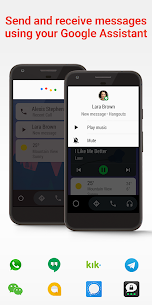
Make calls, send messages, or listen to notifications using voice commands via Google Assistant. This ensures your hands stay on the wheel and your eyes on the road.
🚦 Minimalist Interface for Safety
The interface is intentionally simple—large icons, clear text, and easy navigation reduce cognitive load while driving.
🧠 Why Drivers Love Android Auto
What truly sets Android Auto apart is how naturally it integrates into your driving routine. It doesn’t try to overwhelm you with features—it gives you exactly what you need, when you need it.
Drivers appreciate:
- ✔️ Reduced distractions while driving
- ✔️ Smooth integration with Android devices
- ✔️ Reliable performance even on long trips
- ✔️ Continuous updates and improvements
Unlike many in-car systems, it evolves constantly, adapting to user needs and modern driving habits.
⚙️ Compatibility & Setup
Setting up Android Auto is straightforward:
- Install the app from the Google Play Store
- Connect your phone via USB or wireless connection
- Follow the on-screen instructions
Most modern vehicles support it, and even if your car doesn’t, you can still use it directly on your phone screen.
🔥 Tips to Get the Best Experience
- 🚀 Use voice commands as much as possible
- 🔋 Keep your device charged for long drives
- 📶 Ensure stable internet for real-time navigation
- 🔄 Regularly update the app for new features
For official details and updates, visit:
🏁 Final Thoughts
Android Auto isn’t just an app—it’s a smarter way to drive. It quietly enhances your journey, keeping you connected without pulling your attention away from what matters most: the road.
If you value safety, convenience, and a modern driving experience, this app deserves a place in your daily routine. Once you start using it, going back to traditional driving setups feels outdated.
What's new
What's new?
• Bug fixes and other improvements.
• We want to hear from you! Join the conversation in our community https://g.co/androidautocommunity
Video
Images